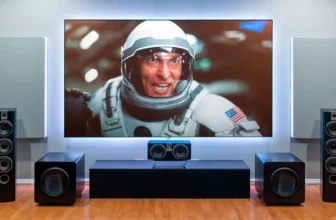
If you’re trying to figure out how to connect tv sound to home theater without HDMI, you’re definitely not alone. Many TVs and older home theater systems don’t support HDMI ARC or eARC, which can be confusing at first. But here’s the good news—you’ve got several reliable options to get high-quality audio without HDMI.
In this guide, you’ll discover simple, effective ways to connect your TV to your home theater system using alternative audio methods. Whether you’re dealing with an older setup or want a workaround, we’ve got you covered.
Understanding Audio Connection Alternatives
Before jumping into the methods, it’s important to understand why HDMI might not be an option and what alternatives exist.
Why HDMI May Not Be Available
There are several reasons:
- Your TV lacks HDMI ARC support
- Your receiver is older
- HDMI ports are already in use
- Compatibility issues between devices
In these cases, alternative audio connections become essential.
Overview of Non-HDMI Audio Options
Here are the most common methods:
- Optical (TOSLINK)
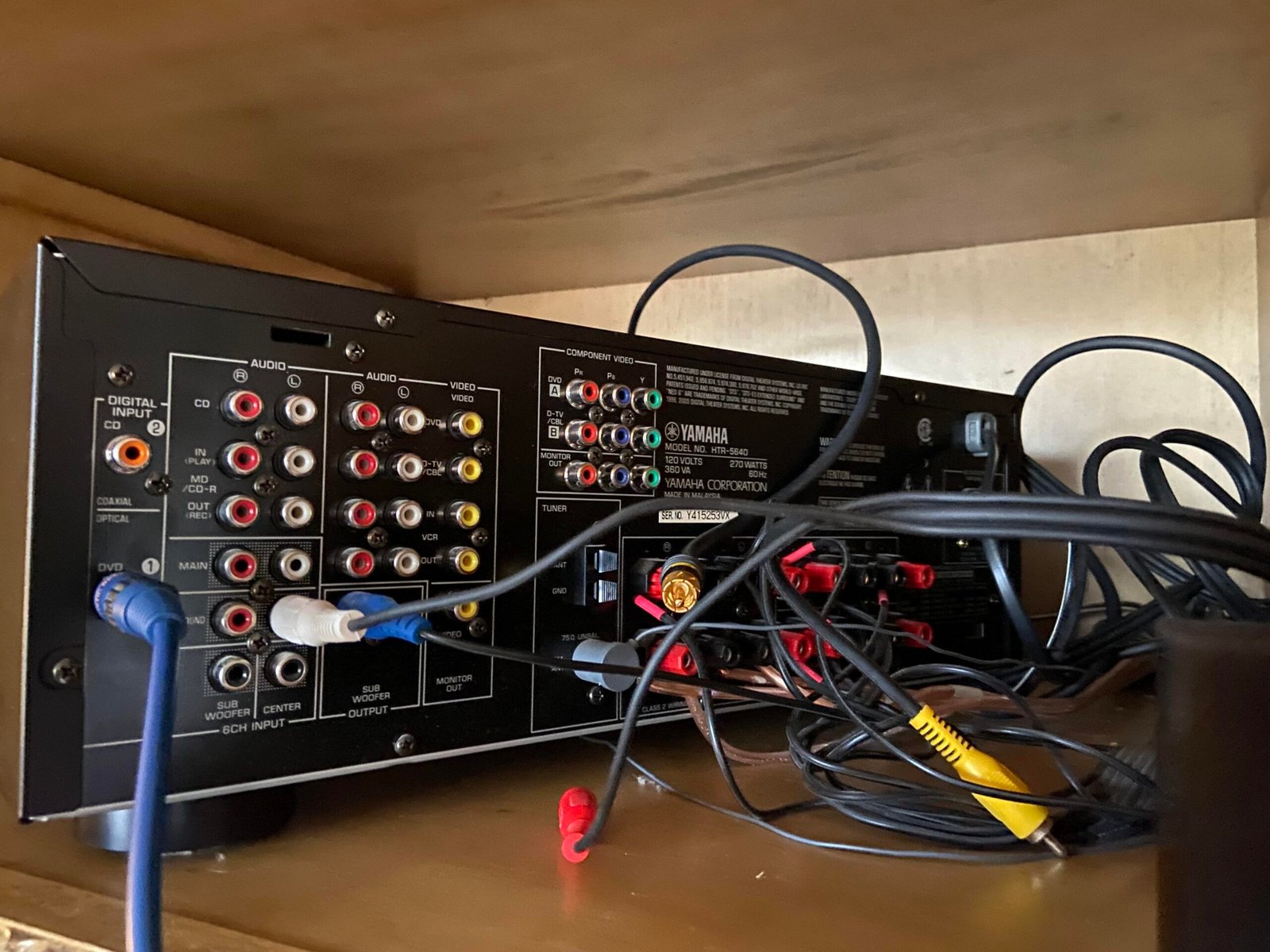
- RCA (red/white cables)
- 3.5mm AUX
- Bluetooth
- Digital coaxial
- Audio converters
Each option has its pros and trade-offs.
Using Optical (TOSLINK) Cable
One of the best alternatives is the optical cable, often labeled as “Digital Audio Out (Optical).”
What Is Optical Audio
Optical cables transmit digital sound signals using light. This means less interference and better audio quality compared to analog connections.
Setup Process
Follow these steps:
- Locate the optical output on your TV
- Connect one end of the cable
- Plug the other end into your home theater receiver
- Change the TV audio settings to “Optical Output.”
Pros and Limitations
Pros:
- High-quality digital sound
- Supports surround sound (Dolby Digital)
- No electrical interference
Limitations:
- Doesn’t support advanced formats like Dolby Atmos
- Requires compatible ports
Connecting via RCA (Analog) Cables
RCA cables are the classic red and white connectors you’ve probably seen before.
Understanding RCA Outputs
These cables carry analog stereo audio signals. Most older TVs and receivers support them.
Step-by-Step Connection
- Plug RCA cables into TV audio output
- Connect to receiver input
- Select the correct input source
Audio Quality Expectations
RCA offers decent sound but lacks surround capabilities. It’s best for basic setups.
Using 3.5mm AUX Connection
If your TV has a headphone jack, you can use an AUX cable.
AUX Cable Basics
A 3.5mm cable connects the TV’s headphone output to your home theater system.
Setup Guide
- Insert AUX cable into TV headphone jack
- Connect to receiver AUX input
- Adjust volume settings
This is one of the easiest methods, though audio quality is similar to RCA.
Bluetooth Wireless Connection
Wireless connections are becoming more popular.
Pairing Devices
To connect:
- Enable Bluetooth on your TV
- Turn on pairing mode on your home theater
- Select the device from the list
Compatibility Issues
Not all TVs support Bluetooth audio output. Also, some systems may experience slight audio delay.
Using Digital Coaxial Cable
Another digital option is coaxial audio.
What Is Coaxial Audio
It uses a single cable with an RCA-style connector but carries digital signals.
Setup Instructions
- Connect coaxial cable to TV output
- Plug into receiver input
- Select the correct audio source
It offers similar quality to optical audio.
Using a Converter or Adapter
Sometimes, your devices don’t match. That’s where converters come in.
Digital-to-Analog Converters (DAC)
A DAC converts digital audio signals into analog signals.
When You Need One
Use a converter when:
- TV has optical output but receiver only supports RCA
- Devices have mismatched ports
Converters are affordable and solve compatibility issues easily.
Troubleshooting Common Issues
Even with proper setup, you might encounter problems.
No Sound Problems
Check:
- Correct input selection
- Cable connections
- TV audio settings
Sync and Delay Issues
Bluetooth and some digital connections may cause lag. Adjust audio delay settings if available.
Best Setup Recommendations
Here’s a quick comparison:
| Method | Audio Quality | Ease of Setup | Best Use Case |
|---|---|---|---|
| Optical | High | Easy | Modern setups |
| RCA | Medium | Very Easy | Older systems |
| AUX | Medium | Very Easy | Quick fixes |
| Bluetooth | Medium | Easy | Wireless setups |
| Coaxial | High | Moderate | Digital systems |
| Converter | Varies | Moderate | Compatibility issues |
FAQs
1. What is the best way to connect TV sound without HDMI?
Optical cable offers the best balance of quality and simplicity.
2. Can I get surround sound without HDMI?
Yes, optical and coaxial cables support surround formats like Dolby Digital.
3. Why is there no sound after connecting?
Check input settings, cable connections, and audio output configuration.
4. Is Bluetooth a good option?
It’s convenient but may introduce slight audio delay.
5. Do I need a converter?
Only if your devices have incompatible ports.
6. Which method is cheapest?
RCA and AUX cables are the most affordable options.
For additional technical guidance, visit:
https://www.crutchfield.com
Conclusion
Understanding how to connect tv sound to home theater without hdmi opens up multiple flexible solutions. Whether you choose optical cables for high-quality sound, RCA for simplicity, or Bluetooth for convenience, each method has its place. The key is matching your equipment with the right connection type. Once set up correctly, you’ll enjoy immersive audio without needing HDMI at all—proving that great sound is always within reachIf you’re trying to figure out how to connect tv sound to home theater without hdmi, you’re definitely not alone. Many TVs or older home theater systems don’t support HDMI ARC or eARC, which can make things confusing at first. But here’s the good news—you’ve got several reliable options to get high-quality audio without HDMI.
In this guide, you’ll discover simple, effective ways to connect your TV to your home theater system using alternative audio methods. Whether you’re dealing with an older setup or just want a workaround, we’ve got you covered.
Understanding Audio Connection Alternatives
Before jumping into the methods, it’s important to understand why HDMI might not be an option and what alternatives exist.
Why HDMI May Not Be Available
There are several reasons:
- Your TV lacks HDMI ARC support
- Your receiver is older
- HDMI ports are already in use
- Compatibility issues between devices
In these cases, alternative audio connections become essential.
Overview of Non-HDMI Audio Options
Here are the most common methods:
- Optical (TOSLINK)
- RCA (red/white cables)
- 3.5mm AUX
- Bluetooth
- Digital coaxial
- Audio converters
Each option has its pros and trade-offs.
Using Optical (TOSLINK) Cable
One of the best alternatives is the optical cable, often labeled as “Digital Audio Out (Optical).”
What Is Optical Audio
Optical cables transmit digital sound signals using light. This means less interference and better audio quality compared to analog connections.
Setup Process
Follow these steps:
- Locate the optical output on your TV
- Connect one end of the cable
- Plug the other end into your home theater receiver
- Change the TV audio settings to “Optical Output”
Pros and Limitations
Pros:
- High-quality digital sound
- Supports surround sound (Dolby Digital)
- No electrical interference
Limitations:
- Doesn’t support advanced formats like Dolby Atmos
- Requires compatible ports
Connecting via RCA (Analog) Cables
RCA cables are the classic red and white connectors you’ve probably seen before.
Understanding RCA Outputs
These cables carry analog stereo audio signals. Most older TVs and receivers support them.
Step-by-Step Connection
- Plug RCA cables into TV audio output
- Connect to receiver input
- Select the correct input source
Audio Quality Expectations
RCA offers decent sound but lacks surround capabilities. It’s best for basic setups.
Using 3.5mm AUX Connection
If your TV has a headphone jack, you can use an AUX cable.
AUX Cable Basics
A 3.5mm cable connects the TV’s headphone output to your home theater system.
Setup Guide
- Insert AUX cable into TV headphone jack
- Connect to receiver AUX input
- Adjust volume settings
This is one of the easiest methods, though audio quality is similar to RCA.
Bluetooth Wireless Connection
Wireless connections are becoming more popular.
Pairing Devices
To connect:
- Enable Bluetooth on your TV
- Turn on pairing mode on your home theater
- Select the device from the list
Compatibility Issues
Not all TVs support Bluetooth audio output. Also, some systems may experience slight audio delay.
Using Digital Coaxial Cable
Another digital option is coaxial audio.
What Is Coaxial Audio
It uses a single cable with an RCA-style connector but carries digital signals.
Setup Instructions
- Connect coaxial cable to TV output
- Plug into receiver input
- Select the correct audio source
It offers similar quality to optical audio.
Using a Converter or Adapter
Sometimes, your devices don’t match. That’s where converters come in.
Digital-to-Analog Converters (DAC)
A DAC converts digital audio signals into analog signals.
When You Need One
Use a converter when:
- TV has optical output but receiver only supports RCA
- Devices have mismatched ports
Converters are affordable and solve compatibility issues easily.
Troubleshooting Common Issues
Even with proper setup, you might encounter problems.
No Sound Problems
Check:
- Correct input selection
- Cable connections
- TV audio settings
Sync and Delay Issues
Bluetooth and some digital connections may cause lag. Adjust audio delay settings if available.
Best Setup Recommendations
Here’s a quick comparison:
| Method | Audio Quality | Ease of Setup | Best Use Case |
|---|---|---|---|
| Optical | High | Easy | Modern setups |
| RCA | Medium | Very Easy | Older systems |
| AUX | Medium | Very Easy | Quick fixes |
| Bluetooth | Medium | Easy | Wireless setups |
| Coaxial | High | Moderate | Digital systems |
| Converter | Varies | Moderate | Compatibility issues |
FAQs
1. What is the best way to connect TV sound without HDMI?
Optical cable offers the best balance of quality and simplicity.
2. Can I get surround sound without HDMI?
Yes, optical and coaxial cables support surround formats like Dolby Digital.
3. Why is there no sound after connecting?
Check input settings, cable connections, and audio output configuration.
4. Is Bluetooth a good option?
It’s convenient but may introduce slight audio delay.
5. Do I need a converter?
Only if your devices have incompatible ports.
6. Which method is cheapest?
RCA and AUX cables are the most affordable options.
For additional technical guidance, visit:
https://www.crutchfield.com
Conclusion
Understanding how to connect tv sound to home theater without hdmi opens up multiple flexible solutions. Whether you choose optical cables for high-quality sound, RCA for simplicity, or Bluetooth for convenience, each method has its place. The key is matching your equipment with the right connection type. Once set up correctly, you’ll enjoy immersive audio without needing HDMI at all—proving that great sound is always within reach.