Where to Place AV Receiver for Home Theater: Expert Tips + 12 Proven Strategies
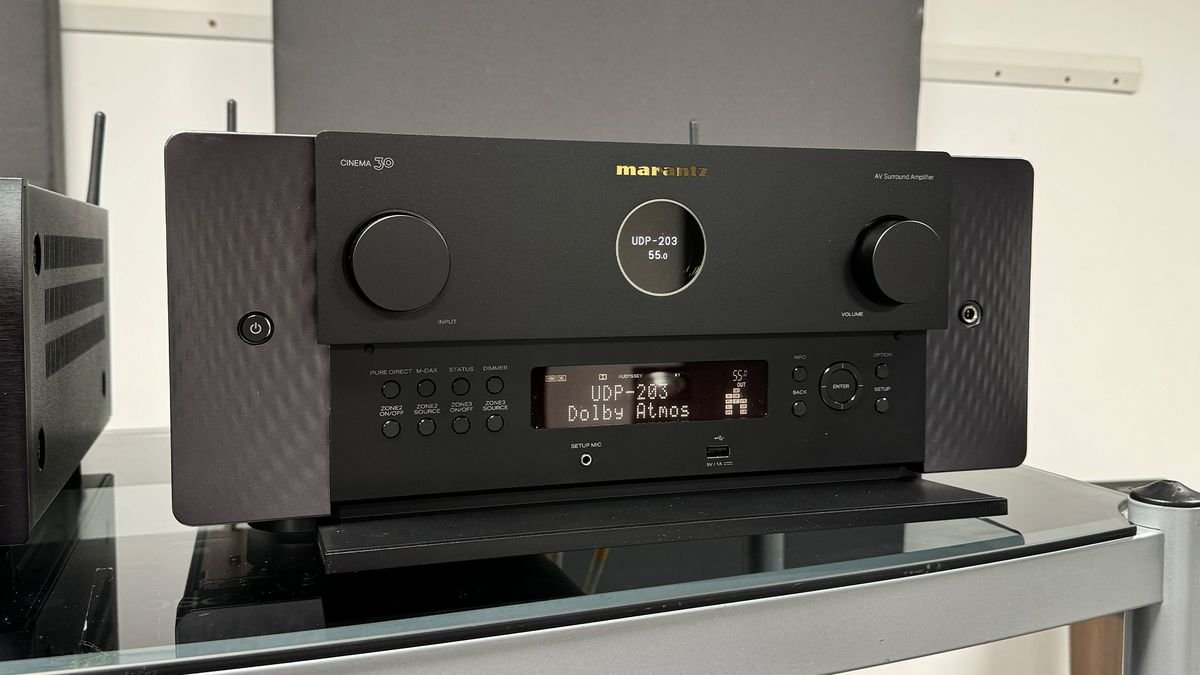
Where to place AV receiver for home theater—discover the best locations, ventilation rules, safety practices, and expert strategies to optimize performance, longevity, and sound quality.
Introduction
If you’re setting up a home theater, one of the first questions you’ll face is where to place your AV receiver for home theater performance. It’s a deceptively simple question with big consequences. An AV receiver is the heart of your entertainment system—routing audio, powering speakers, switching video sources, and ensuring everything works smoothly. Yet many people tuck it into the wrong spot without considering airflow, heat buildup, cable management, and accessibility.
In this guide, we’ll break down everything you need to know about choosing the perfect location for your AV receiver. You’ll learn the rules installers follow, the dangers of poor placement, and how to balance aesthetics with proper ventilation. Whether your home theater is a compact living room setup or a fully dedicated cinema, you’ll find expert-level tips to help you place your receiver correctly.
Understanding the Importance of Proper AV Receiver Placement
Choosing where to place your AV receiver isn’t just about finding a convenient shelf. Placement affects performance, safety, lifespan, and user experience.
Why Placement Matters for Performance
Your receiver processes digital audio signals, powers speakers, and coordinates video output. If it’s trapped in a tight, enclosed space, heat can build up and throttle performance. When electronics overheat, they experience:
- Mid-movie shut-offs
- Audio distortion
- Reduced power output
- Shortened component lifespan
Simply put: hot receivers don’t perform well.
How AV Receiver Position Affects Sound Quality
When your receiver is placed poorly:
- Speaker cable runs may become too long
- Interference from other electronics can create hum or buzzing
- Poor connections from cramped wiring can degrade signal clarity
Clean, organized placement ensures consistent sound levels and accurate decoding.
Heat, Ventilation & Longevity Factors
AV receivers generate a lot of heat—especially multichannel models powering 5, 7, or 9 speakers. Without airflow, temperatures can climb fast.
Proper placement prevents:
- Overheating ruins internal amplifiers
- Thermal protection shutdowns
- Long-term damage to capacitors and circuitry
Your goal is to create an environment where heat can escape naturally.
Key Rules for Deciding Where to Place an AV Receiver for Home Theater
Before choosing a location, follow the essential rules that experts use in professional installations.
Rule #1: Prioritize Ventilation
This is the most important rule. Receivers need open airflow on:
- The top
- The sides
- The rear
NEVER block the top vents.
Rule #2: Keep It Accessible
You’ll regularly need to:
- Switch HDMI cables
- Reset the system
- Plug in gaming consoles
- Add streaming devices
If you have to crawl behind furniture every time, you’ve chosen the wrong spot.
Rule #3: Avoid Enclosed Spaces
Cabinets without ventilation are dangerous. Heat can climb fast and damage internal components.
Rule #4: Reduce Cable Strain
Receivers use dozens of connections. Excess strain or bending can:
- Damage the HDMI inputs
- Break speaker terminals
- Create loose audio channels
Your placement should support clean, stress-free cable routing.
Rule #5: Minimize Ground Loops & Interference
Avoid placing the receiver near:
- High-voltage power bricks
- Wi-Fi routers
- Wireless transmitters
This reduces buzzing and interference.
Best Placement Options for Your AV Receiver
Here’s where to actually put your receiver for the best performance.
Open Media Consoles
Great choice for most living rooms.
Benefits:
- Good airflow
- Easy access
- Space for cable management
Choose consoles with open backs for even better ventilation.
Dedicated AV Racks
The most professional option.
AV racks are made for:
- Perfect ventilation
- Neat organization
- Heavy components
If you plan to expand your system later, a rack is ideal.
Wall-Mounted AV Shelves
Perfect for tighter spaces.
Make sure the shelf:
- Supports the weight
- Allows airflow
- It isn’t placed near heating sources
Ventilated Cabinets (With Fans)
If you want a clean, hidden look, choose cabinets with:
- Cooling fans
- Slotted or mesh doors
- Rear ventilation holes
This keeps the receiver safe while staying out of sight.
Closet or Equipment Room
Many advanced setups hide the receiver entirely.
Just ensure:
- Strong cooling fans
- Short cable runs
- Access ports or IR repeater systems
Worst Places to Put Your AV Receiver
Many new home theater owners naturally choose these spots—not realizing the risks.
Inside Fully Closed Cabinets
Heat builds up rapidly. Even expensive receivers can fail within months.
Near Heat Sources
Avoid placing the receiver:
- Next to radiators
- On top of subwoofers
- Close to fireplaces
- Near direct sunlight
Inside Tight Shelves Without Airflow
Even small gaps make a huge difference. Tight shelves trap hot air like an oven.
Stacked Directly on Other Devices
Electronics generate heat. Stacking devices:
- Limits airflow
- Overheats them both
- Voids many warranties
Always allow at least 3–5 inches of space.
Step-by-Step Guide: How to Position Your AV Receiver Correctly
Follow this simple guide to get perfect placement.
Step 1 — Measure Your Space
Ensure your shelf or cabinet leaves room for:
- Width
- Height
- Rear cable clearance
Step 2 — Check Cable Routing Distance
Shorter cables = better performance.
Measure:
- HDMI cable lengths
- Speaker wire runs
- Power cable distance
Step 3 — Ensure Proper Airflow Around the Receiver
Leave:
- 5 inches above the unit
- 3 inches on each side
- Clear rear space for exhaust heat
Step 4 — Plan for Future Device Expansion
Receivers often accumulate:
- Consoles
- Blu-ray players
- Streamers
- Subwoofer cables
Leave room for growth.
Step 5 — Test Heat Levels Before Finalizing Placement
Run the receiver for 30–40 minutes.
Check:
- Is the top extremely hot?
- Is the cabinet warm?
- Does the fan struggle?
Adjust if needed.
Ventilation Requirements for AV Receivers
Heat kills electronics—ventilation keeps them alive.
Recommended Clearance Space
Ideal spacing:
- Top: 5 to 6 inches
- Sides: 3 inches
- Rear: Open back preferred
Passive vs. Active Ventilation
Passive ventilation = natural airflow
Active ventilation = fans
For enclosed spaces, always choose active cooling.
Using Cooling Fans or Vent Panels
Small, silent fans:
- Pull hot air out
- Reduce heat by up to 25%
- Increase longevity
Signs of Overheating
Watch for:
- Hot smell
- Shut-offs
- Flickering audio
- Warm cabinet doors
How to Hide an AV Receiver Without Overheating
It is possible to hide your receiver safely.
Using IR Repeaters
Let you control the receiver even when it’s behind a cabinet door.
Mesh or Perforated Doors
Allows airflow while keeping gear hidden.
Cabinet Fan Systems
Actively pull hot air out.
Remote-Control Extension Solutions
Great for closet or basement equipment placement.
Cable Management Tips for Optimal Placement
Proper cable organization improves airflow and reliability.
Keeping Cables Organized & Labeled
Use:
- Velcro straps
- Labels
- Cable sleeves
Ideal Cable Lengths
Shorter HDMI and speaker cables preserve signal quality.
Reducing Signal Interference
Keep power cables away from audio/video cables.
Power Management & Surge Protection
Use a high-quality surge protector.
For reference:
https://www.apc.com/us/en/product-category/108/surge-protection/
Accessibility & Maintenance Considerations
Ease of access makes your setup future-proof.
Easy Access to HDMI Ports
You’ll connect:
- Consoles
- Laptops
- Blu-ray players
- Sound sources
Keep ports reachable.
Cleaning & Dust Prevention
Dust reduces airflow.
Wipe your receiver regularly.
Software Updates & Connectivity
Receivers often need firmware updates.
Don’t hide it so deep that updating becomes a chore.
Planned Upgrades & Expandability
Future-proofing now saves a huge hassle later.
Safety Tips When Deciding Where to Place an AV Receiver for Home Theater
Safety should never be an afterthought.
Fire Safety Precautions
Avoid:
- Overloaded power strips
- Covering ventilation holes
- Placing fabrics near vents
Electrical Load Considerations
Use outlets on separate circuits when possible.
Avoiding Humidity & Moisture
Keep receivers away from:
- Windows
- Damp basements
- Water spills
Child & Pet Safety Considerations
Avoid low-level placement if pets can chew cables.
Cost Considerations: Furniture & Accessories
Evaluate your budget before choosing placement furniture.
Media Consoles
Expect $100–$400 for ventilated units.
Cooling Fans
Budget $20–$60.
Cable Organizers
Usually $10–$30.
Surge Protectors & UPS Units
$40–$120, depending on features.
Popular Home Theater Layout Examples (With Receiver Placement)
Here’s where most pros place receivers in real-world setups.
Living Room Setup
Receiver sits in:
- Open console
- Ventilated shelf
- Cabinet with mesh doors
Dedicated Theater Room
Often placed:
- In a rack
- In a rear closet
- On the side wall cabinet
Small Apartment Layout
Compact placement:
- Wall shelf
- Slim console
- Media stand end compartment
Hidden Equipment Room Layout
Receivers placed:
- In the utility room
- In a ventilated closet
- In the basement rack
With remote-control extenders for usability.
FAQs
1. Can I place my AV receiver in a closed cabinet?
Only if the cabinet has active cooling fans. Otherwise, overheating is inevitable.
2. How much ventilation space does an AV receiver need?
Ideally, 5 inches above and 3 inches on each side.
3. Can I hide my receiver entirely?
Yes—use IR repeaters and cooling fans.
4. Is it safe to stack devices on top of my AV receiver?
No. Stacking traps, heats, and may damage both units.
5. Can I put my AV receiver behind my TV?
Not recommended. TVs radiate heat, and the rear space is usually too tight.
6. Does receiver placement affect sound quality?
Indirectly, yes. Poor placement leads to cable strain and interference.
Conclusion
Now you know exactly where to place your AV receiver for home theater performance that’s safe, efficient, and long-lasting. With the right ventilation, cable management, accessibility, and safety in mind, your receiver will run cooler, sound better, and last much longer. Follow the strategies in this guide, and your home theater will perform like a professionally installed system.