How to Build a Home Theater: Ultimate Guide + 9 Powerful Steps for a Cinematic Experience
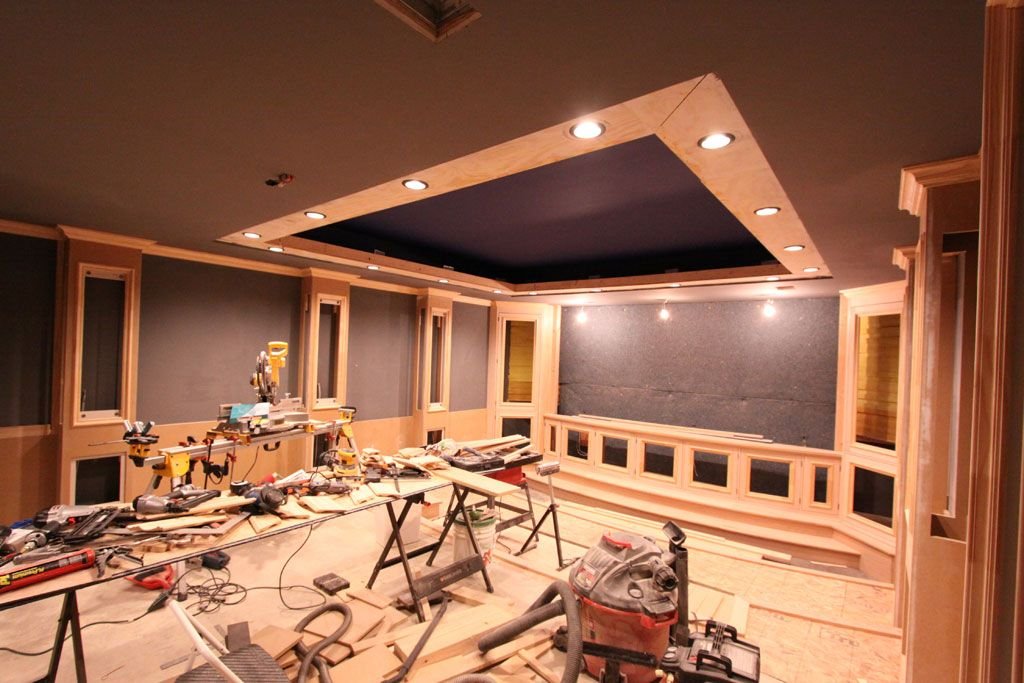
If you’ve ever dreamed of watching movies with theater-quality sound and visuals without leaving your house, learning how to build a home theater is your first step. The good news? You don’t need to be a tech expert or spend a fortune to make it happen. With the right plan, tools, and setup, you can transform any room into an immersive entertainment space.
In this guide, we’ll walk you through everything—from choosing the right room to installing equipment and fine-tuning acoustics—so you can build a home theater that feels professional yet personal.
Understanding the Basics of a Home Theater
Before diving into the setup, it’s important to understand what truly makes a home theater stand out. It’s not just about a big screen—it’s about combining visuals, sound, and comfort into one seamless experience.
What Defines a Home Theater
A home theater is a dedicated or semi-dedicated space designed to replicate the cinema experience. It includes:
- High-quality display (TV or projector)
- Surround sound system
- Comfortable seating
- Controlled lighting
- Optimized acoustics
Each element plays a role in creating immersion.
Key Components Overview
Here are the essential components:
- Display (TV/projector)
- Audio system (soundbar or surround sound)
- Media source (streaming device or Blu-ray player)
- Seating
- Lighting system
Understanding these basics makes the rest of the process smoother.
Planning Your Home Theater Setup
Planning is where success begins. Rushing into purchases without a clear plan often leads to wasted money and poor performance.
Choosing the Right Space
Pick a room that:
- Has minimal windows
- Is rectangular in shape
- Allows controlled lighting
- Has enough wall space
Basements are ideal, but spare rooms work just fine too.
Budget Planning
Set a realistic budget early. Ask yourself:
- Do you want a basic setup or premium experience?
- Will you install it yourself?
- Do you plan upgrades later?
Budgeting helps avoid overspending.
Room Dimensions and Layout
Room size determines:
- Screen size
- Speaker placement
- Seating arrangement
Measure your space carefully before buying equipment.
Selecting the Right Display
Your display is the visual centerpiece of your home theater.
TV vs Projector
Each option has pros and cons:
TV Advantages:
- Bright display
- Easy setup
- Lower maintenance
Projector Advantages:
- Larger screen sizes
- True cinema feel
- Space-saving design
Screen Size and Viewing Distance
A general guideline:
| Screen Size | Ideal Distance |
|---|---|
| 55-inch | 6–8 feet |
| 65-inch | 8–10 feet |
| 100-inch | 10–12 feet |
Choosing the right size enhances comfort and immersion.
Choosing the Best Audio System
Sound is what transforms a good setup into a great one.
Soundbars vs Surround Systems
- Soundbars: Easy setup, compact, affordable
- Surround systems: Immersive, powerful, customizable
Speaker Placement
Correct placement matters:
- Front speakers at ear level
- Center speaker near the screen
- Rear speakers behind seating
- Subwoofer near a wall
Subwoofer Setup
Avoid corners unless necessary. Test multiple positions to find the best bass response.
Designing the Room for Maximum Comfort
Comfort plays a major role in your overall experience.
Seating Options
Options include:
- Sofas
- Recliners
- Theater seats
Choose seating based on room size and budget.
Lighting Setup
Use:
- Dimmable lights
- LED strips
- Wall sconces
Lighting should enhance—not distract from—the screen.
Aesthetic Enhancements
Add:
- Dark paint colors
- Curtains
- Wall decor
These improve both look and acoustics.
Acoustic Optimization Techniques
Good acoustics ensure clear sound and reduce echo.
Soundproofing Basics
Seal gaps, use thick doors, and add insulation to reduce noise leakage.
Acoustic Panels and Treatments
Panels absorb sound reflections, improving clarity.
Floor and Wall Materials
Carpets and soft furniture absorb sound better than hard surfaces.
Installation and Setup Process
Now comes the hands-on part.
Mounting Equipment
Mount TVs securely and align projectors properly.
Cable Management
Use:
- Cable clips
- Sleeves
- Wall channels
This keeps everything neat and safe.
Testing and Calibration
Adjust:
- Brightness and contrast
- Speaker levels
- Audio sync
Calibration ensures optimal performance.
Smart Features and Automation
Modern home theaters benefit from smart technology.
Voice Control
Use assistants to control playback and lighting.
Smart Lighting
Create scenes like:
- Movie mode
- Relax mode
- Gaming mode
Universal Remotes
Simplify control with one device instead of many remotes.
Frequently Asked Questions
1. How much does it cost to build a home theater?
It can range from $800 to $20,000 depending on your setup.
2. Can I build a home theater in a small room?
Yes, small rooms often provide better acoustics.
3. Do I need professional installation?
Not always. Many setups can be DIY with proper guidance.
4. What’s better: TV or projector?
It depends on your space and preferences.
5. How do I improve sound quality?
Use acoustic panels, proper speaker placement, and soft furnishings.
6. Is smart technology necessary?
No, but it adds convenience and enhances the experience
Conclusion
Learning how to build a home theater is an exciting journey that blends technology, creativity, and comfort. With proper planning, smart equipment choices, and thoughtful design, you can create a cinematic experience right in your home. Whether you’re going for a simple setup or a luxury theater, the key is balance—great visuals, immersive sound, and a comfortable environment. Once everything is in place, your home theater becomes more than just a room—it becomes your personal entertainment escape.